
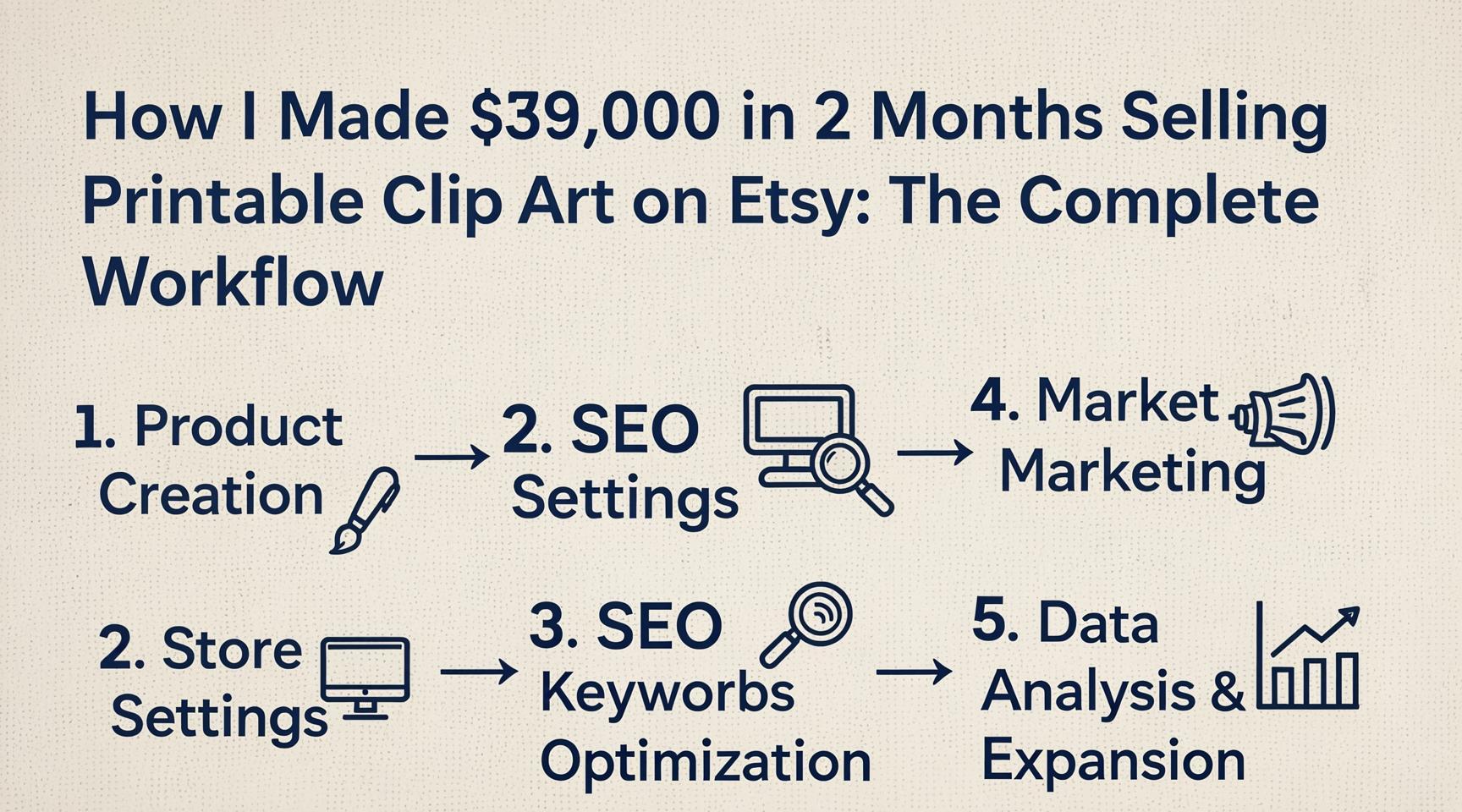
How I Made $39,000 in 2 Months

In just under two months, a single Etsy store selling digital printable packs has generated $39,000 in revenue—averaging $5,649 per week. The product? Simple PDFs containing AI-generated clip art images. This isn't a hidden secret or a gated strategy; it's a replicable workflow that anyone can follow, and the seller behind this store is revealing every single step. From trend research and AI image generation to packaging, listing optimization, and traffic generation, this in-depth guide breaks down how you can build your own passive income stream selling PNG clip art packs on Etsy.
The Business Model: Selling Convenience, Not Just Images
There is a massive, billion-dollar market for digital printables. Crafters, teachers, small business owners, and DIY enthusiasts constantly need high-quality images for projects like card making, scrapbooking, printing on fabric, and more. They are willing to pay a small fee—typically $2 to $10—for a ready-made pack of designs rather than creating them from scratch with AI themselves. This is the convenience gap you can fill.
The core product is deceptively simple: a set of 20 to 60 cute, themed PNG images, bundled together. Instead of delivering the images directly, you package them as a PDF that contains a thank-you message, a link to the actual files hosted on Google Drive, and printing instructions. This PDF acts as both your customer service layer and your deliverable file on Etsy. Customers purchase, receive the PDF instantly, and access their clip art. You create the pack once and sell it infinitely.
Step 1: Find Trending, Low-Competition Niches
Guessing what designs to sell is the fastest way to fail. The store owner uses a tool called TrendtoDesigns.com to eliminate guesswork. By typing in a broad theme like “farm animals,” the tool researches what is currently selling on Etsy, shows real listings with “bestseller” badges, and even provides ready-made AI prompts for the exact style that is trending.
For example, a “50 Cute Farm Animals” listing selling for $4 has dozens of five-star reviews. People are buying these images to print on tablecloths, for party decorations, and more. Instead of competing directly with that broad listing, you can niche down. Searching for “cows” reveals even more specific, high-demand opportunities. The tool surfaces prompts for styles like “soft coat cow” with bow details—a winning design that you can immediately replicate. This step alone does roughly 70% of the research work.
Step 2: Generate High-Quality Clip Art with AI (4000x4000px, 300 DPI)
The next step is to turn a prompt into a marketable image. The recommended AI image generator is KD, a fast tool that can produce large batches. Here’s the exact setup:
Create an artboard of 4000x4000 pixels with a 300 DPI setting. This resolution is critical because customers will print these images on physical items; low quality leads to returns and bad reviews.
Paste the prompt copied from TrendtoDesigns into the prompt box. In seconds, you’ll have a base design—in this case, a “cute pink kette cow.”
Use the AI’s variation feature (often a purple button) to generate more cows in different breeds, poses, and slight color variations. Repeat until you have 20–60 unique but stylistically cohesive images.
You can use various AI image models: Nano Banana for speed (uses more credits), Flux for cost efficiency, or even ChatGPT’s image 1.5, which consumes very few credits. Generating an entire pack is affordable.
Creating an Eye-Catching Thumbnail: A standout main image makes buyers click. You can instruct the AI to generate a thumbnail by saying, “Make a Etsy thumbnail out of this cow, add text ‘Coquette Bows Cows Set of 20 PGs’ in the center.” Within 10 seconds, you’ll have a professional-looking thumbnail ready to download and upload to your listing.
Step 3: Package the Product as a PDF with Google Drive
Etsy requires you to upload a digital file. You never upload the actual 40 PNGs directly; instead, you deliver a PDF that contains the access link. Here’s how:
Export all your PNGs from the AI tool.
Create a new folder on Google Drive (e.g., “Clip Art – Cows Pack 1”).
Upload the images via File Upload.
Click the “Share” button, set General Access to “Anyone with the link” (never private), and copy the share link.
Open Google Docs and create a simple thank-you document. Example: “Thank you so much for purchasing the Whimsical Cows set! 🐄 Here is the link to your files: [paste link]. For questions, contact [Your Shop Name].” Include a brief printing guide if desired.
Download this Google Doc as a PDF (File → Download → PDF Document). This PDF becomes your Etsy product file.
Now your listing is compliant, your files are securely hosted, and you can update the image pack later without needing to re-upload the listing—just add more images to the same Drive folder.
Step 4: Create the Perfect Etsy Listing with AI-Generated Copy
On Etsy, create a new listing. Set the category to Clip Art, and select Digital File as the product type. Upload the PDF as the digital file. Price it between $2.99 and $4.99 as a starting point; quantity can be set to 100 (essentially unlimited).
Title, Description, and Tags: This is where AI assistance shines. Take a competitor’s high-performing title—e.g., “Watercolor Cute Farm Clip Art, Farm Life PNG, Coquette Farm Animals…” —and paste it into Claude (or ChatGPT). Ask: “Make me a new Etsy listing title for a clip art pack focused on coquette cows.” It will generate variations optimized for search. Copy the best one.
Then ask: “Now give me 13 tags and a description.” Within seconds, you’ll have a full set of niche-specific tags like “watercolor cow png,” “coquette bows,” “farm clipart,” and a charming, sales-oriented description. Paste everything into the respective Etsy fields. Ensure you use all 13 tag slots—this is critical for ranking.
Under Etsy’s AI regulations, select “Made with an AI generator” for transparency. Sellers report that this disclosure does not deter buyers at all; the product quality speaks for itself.
Step 5: Drive Traffic with Organic Etsy SEO and Pinterest
Etsy SEO: The key to ranking on Etsy is long-tail keywords. Your title’s first phrase should be specific—e.g., “Watercolor Coquette Cow Clip Art” (3–4 words). As the title progresses, shorten the phrases: “Farm Life Clip Art,” then broader “Cute Farm Animals.” Avoid overly broad terms like “clip art” alone; they are too competitive. Because Etsy receives over 400 million visits per month, ranking for specific long-tail terms is not only possible but lucrative.
Pinterest: Pinterest drives nearly 40 million additional monthly visits. Create a business account, then upload your individual PNGs (or the generated thumbnails) as pins. Use niche-specific board names and descriptions with keywords. Link each pin back to your Etsy store. Users pin these images for future craft projects—some pins in this niche receive 2,800–4,000 saves. When those users are ready to buy, they’ll click through and purchase. Posting daily on Pinterest creates a flywheel of passive traffic that complements your Etsy organic reach.
The Result: A Passive Income Asset
This entire workflow—researching, generating, packaging, listing—can be done in under an hour per product. Once listed, a well-optimized clip art pack becomes a digital asset that sells repeatedly with zero inventory, zero shipping, and almost no customer service. The store highlighted here scaled to $39K in two months, but even a single pack can trickle in sales for years.
The tools you need are straightforward: TrendtoDesigns.com for research and prompts, KD (or any fast AI image generator) for creation, Google Drive and Docs for delivery, Claude for listing copy, and Pinterest for off-platform marketing. Nothing is gated. The only missing piece is your action.

